Live monitor
Hub pushes in-stock hits to your machine in milliseconds — arm a task or walk away with auto-checkout.
Members only · hub signal live
REPTILE is a Mac & Windows desktop app — live monitor feed, task runner, profiles, and drop calendar. Same stack members run on drop day. Unlock, install, paste your key.
On radar










The app
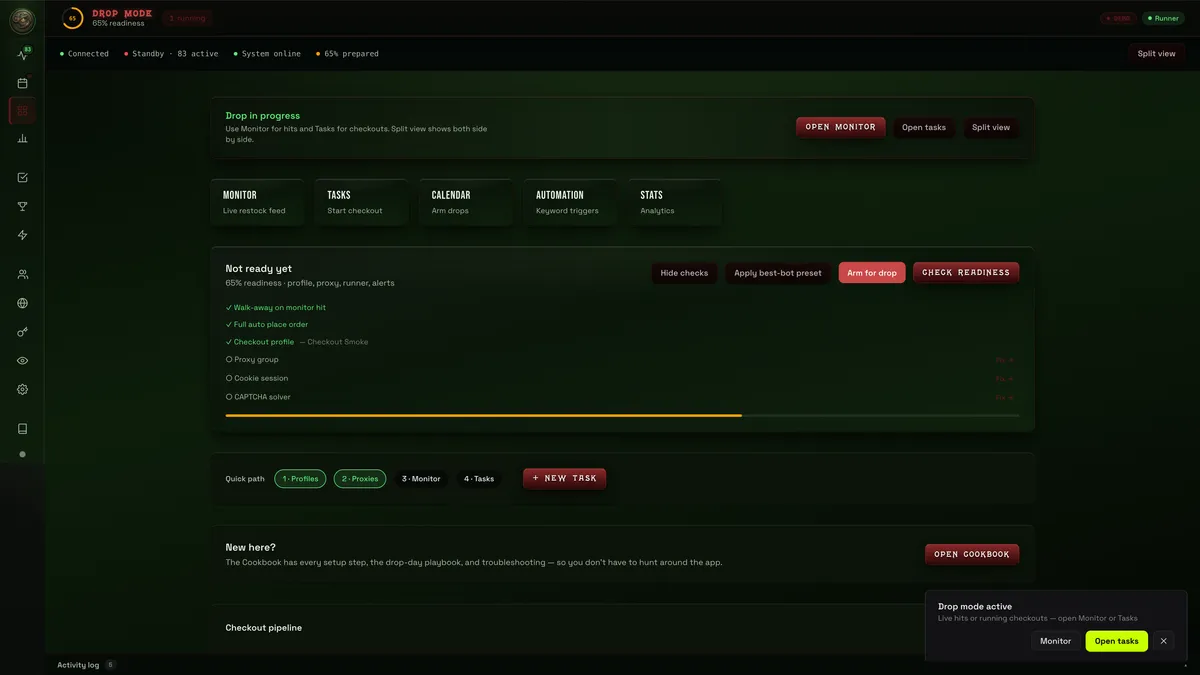
Not a marketing mock — real screens from the desktop app. Pick a view.
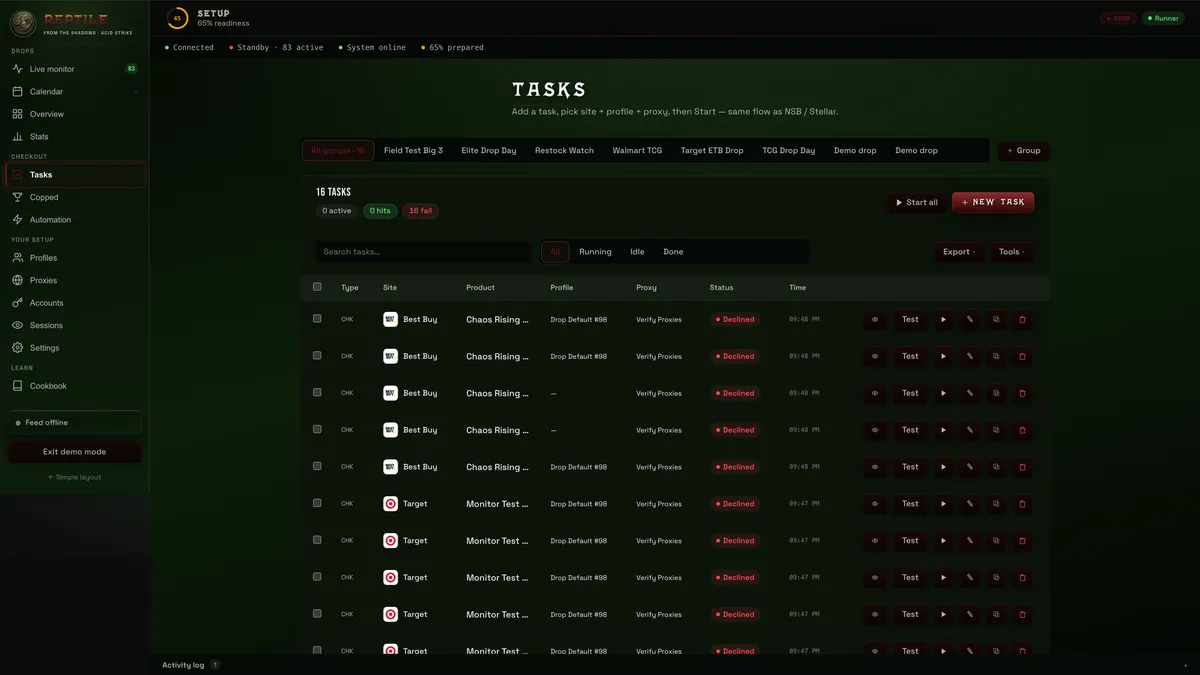
Tasks — Add a task, pick site + profile + proxy, then start. Same flow as NSB / Stellar.
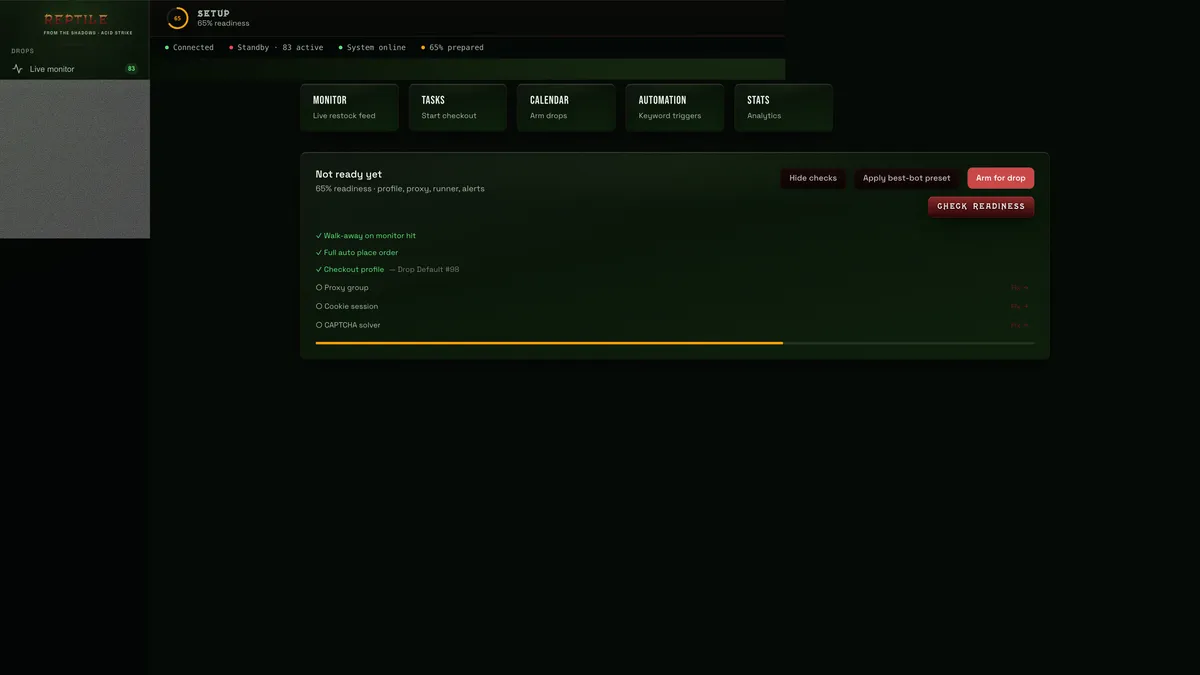
Setup — Readiness ring, monitor/tasks shortcuts, and one-click arm for drop.
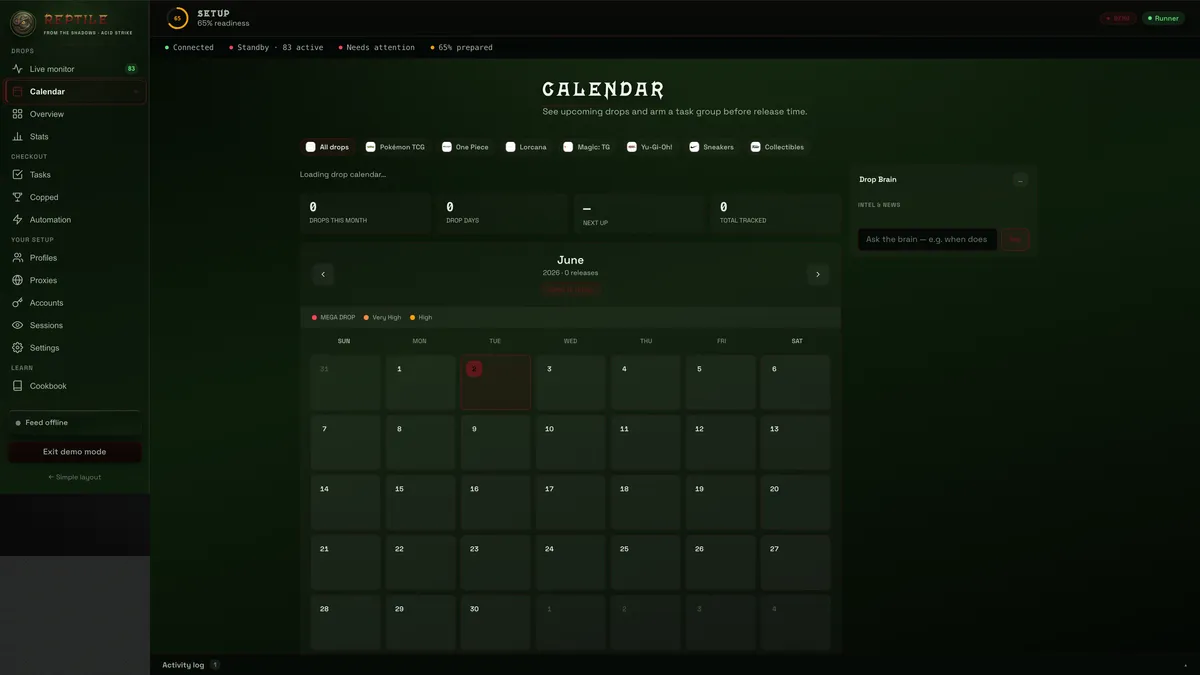
Calendar — Arm drops ahead of time so tasks and monitor are ready when clocks hit.
Copped — Wins logged in-app. Discord push when you're away from the desk.
Hub pushes in-stock hits to your machine in milliseconds — arm a task or walk away with auto-checkout.
Checkout runs on your hardware with your profiles, proxies, and sessions — not a shared cloud queue.
Member alerts, drop chat, and staff setup in the server after you unlock.
How it works
Five minutes to in — most of the setup lives in Discord after checkout.
Drop day, monthly, or restock week — Whop or crypto when checkout is live.
License on the success page. Discord role tied to your user ID in about a minute.
Mac or Windows installer from #setup. Phone uses hub web app for hits + 3DS.
Monitor live, start tasks, log copped. Member playbook and commands in-server.
Why REPTILE
Discord-only groups ping you — you still fumble tabs. REPTILE closes the loop on your machine.
One license, use anywhere. Download the Mac or Windows app for drop-day checkout at your desk.
On phone, tablet, or travel — open hub.reptile.wtf/app (same key): live monitor worldwide, arm hits, approve 3DS.
Installers in Discord #setup after you pay.
Access
Drop day, restock week, or monthly — choose below. Key + Discord role, then install from #setup.
Pay → key + Discord role. Details wait inside.
Discord → Settings → Advanced → Developer Mode → right-click your name → Copy User ID
Paste the license from your purchase or staff and open the app.
FAQ
Yes — Mac and Windows get the full desktop installer from Discord #setup after payment. iPhone and Android use the REPTILE Companion web app (Add to Home Screen from your hub link) for 3DS and live hits — not App Store / Play Store, and not full checkout on the phone.
License key on the success page, Discord role tied to your user ID, member channels unlocked, and the desktop installer. Full setup is in the server — not on this page.
Whop or crypto when checkout is live on the hub. Same key either way.
Paste your key above or at /app/. Still stuck? Use the email from checkout or ping staff in Discord.
Get access, install the desktop app, and run the same monitor + task stack members use on drop day.